
Make Every Renewal Bulletproof with Batch Processing

Eliminate Renewal Gaps with Bulk Renewal Selection
Missed renewals equal lost revenue. Manual contract-by-contract quoting invites errors and delays. By using a renewal dashboard with batch selection, subscription teams lock in every eligible renewal—without the manual chase. Faster processing. No slippage. Maximum retention.
What Happens When Renewal Selection Is Manual?
You’re trying to stay ahead of the renewal calendar—but instead you’re:
- Clicking into each contract separately
- Manually flagging which ones to renew
- Losing visibility into term-end dates or paused subscriptions
- Chasing customers after missed deadlines
Each oversight means:
- A dropped contract
- A frustrated customer
- A last-minute deal with added discount pressure
This isn’t just operational inefficiency—it’s revenue leakage.
The Root Problem: No Single View of Renewals
Manual quoting doesn’t scale. When renewal logic is split across tools, spreadsheets, and separate dashboards, it’s easy to:
- Miss contracts eligible for renewal
- Confuse renewal terms or timelines
- Forget legacy exceptions that need special handling
- Delay quotes because approvals get stuck in another system
The result? Slipped renewals, missed revenue, and frantic catch-up work.
The Fix: Batch Renewal Selection from a Unified Dashboard
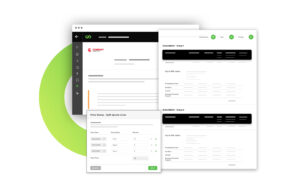
A modern CPQ or subscription renewal platform gives you full visibility and control—on one screen.
With batch renewal quoting, you can:
- View your entire install base in a single grid
- Apply filters by term-end date, product family, account type, or status
- Select all eligible renewals with one click
- Handle exceptions inline—without jumping between tools
- Generate renewal quotes instantly from the same interface
It’s the difference between firefighting and forecasting.
What RevOps, Finance, and Sales Teams Gain
- No More Missed Renewals: Every contract is surfaced and acted on
- Faster Renewal Cycles: Batch quoting cuts turnaround time from hours to minutes
- Fewer Errors: Visibility and filtering eliminate oversight
- Predictable Revenue: No more last-minute scrambles to close gaps
You keep your recurring revenue stable—without the stress.
Manual Renewal vs Unified Batch Renewal
Feature | Manual Quoting | Batch Renewal Workflow |
Install Base Visibility | Fragmented across tools | Unified dashboard |
Selection Process | One-by-one manual review | One-click “select all” |
Exception Handling | Spreadsheet + Slack pings | Inline within the same screen |
Quote Generation Speed | Hours | Minutes |
Revenue Protection | Prone to misses | System-guided, zero slippage |
Frequently Asked Questions (FAQs)
What is batch renewal selection?
It’s the ability to select and quote multiple renewal contracts at once from a single dashboard—without handling each one manually.
How does this improve revenue protection?
You ensure every eligible contract is surfaced, quoted, and renewed—no gaps or forgotten deals.
Can I still handle exceptions like paused or custom contracts?
Yes. You can view and adjust exceptions inline while still running the rest of the batch.
Who benefits from this approach?
Sales Ops, Finance, and Customer Success teams—anyone responsible for renewals or recurring revenue workflows.
How fast can quotes be generated with batch selection?
What used to take hours in spreadsheets can now be completed in minutes with a single workflow.


Ready to fix leaks, speed up quoting, and unlock hidden revenue?
Use our RoI Calculator to see where your business can grow next.